SQL Formatting
Format your SQL with Cmd+Shift+F (Mac) or Ctrl+Shift+F (Windows/Linux).
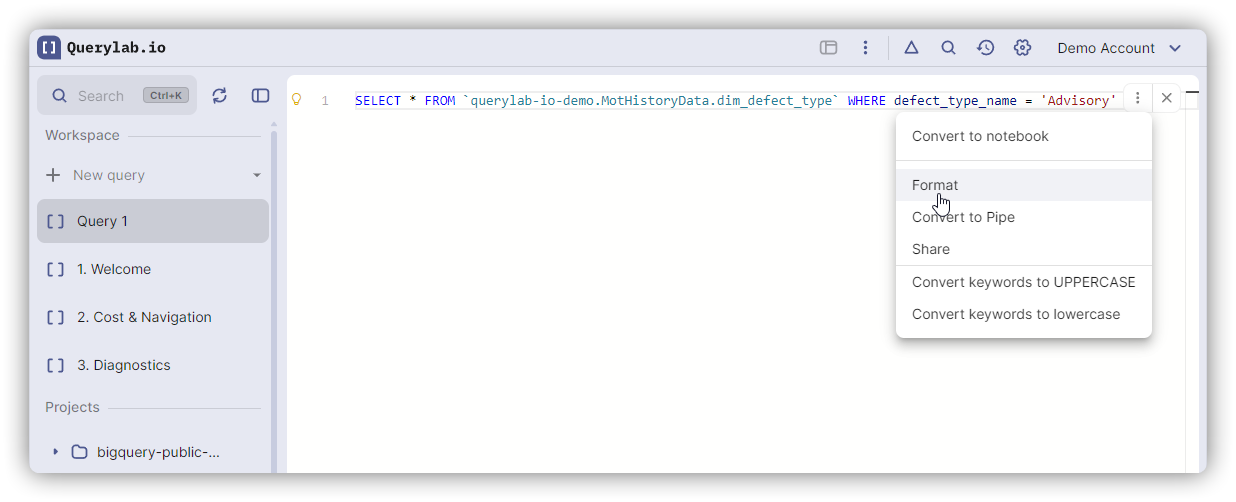
Formatting Modes
Pretty (Default)
Clean, readable formatting with consistent indentation.
-- Before
select u.id,u.name from users u where u.active=true order by u.name;

-- After
SELECT
  u.id,
  u.name
FROM users u
WHERE u.active = true
ORDER BY u.name;
Compact
Minimal whitespace for storage and logs.
SELECT u.id,u.name FROM users u WHERE u.active=true ORDER BY u.name;
Preserve
Maintains original formatting exactly.
Options
Configure in Settings → Editor → SQL Formatting.
| Option | Values | Default |
|---|---|---|
| Keyword Case | UPPERCASE, lowercase, Preserve | UPPERCASE |
| Indent Style | Spaces, Tabs | Spaces |
| Indent Size | 2, 4, 8 | 2 |
| Max Line Length | 80, 100, 120 | 80 |
Format Selection
Select a portion of SQL, then press the format shortcut. Only the selected portion formats.
WITH messy_cte AS (
  select * from users where active=true  -- Select and format just this
),
clean_cte AS (
  SELECT * FROM orders
)
Shortcuts
| Action | Mac | Windows/Linux |
|---|---|---|
| Format Document/Selection | Cmd+Shift+F | Ctrl+Shift+F |