Navigating Resources
Explore BigQuery projects, datasets, and tables in the Schema Browser.
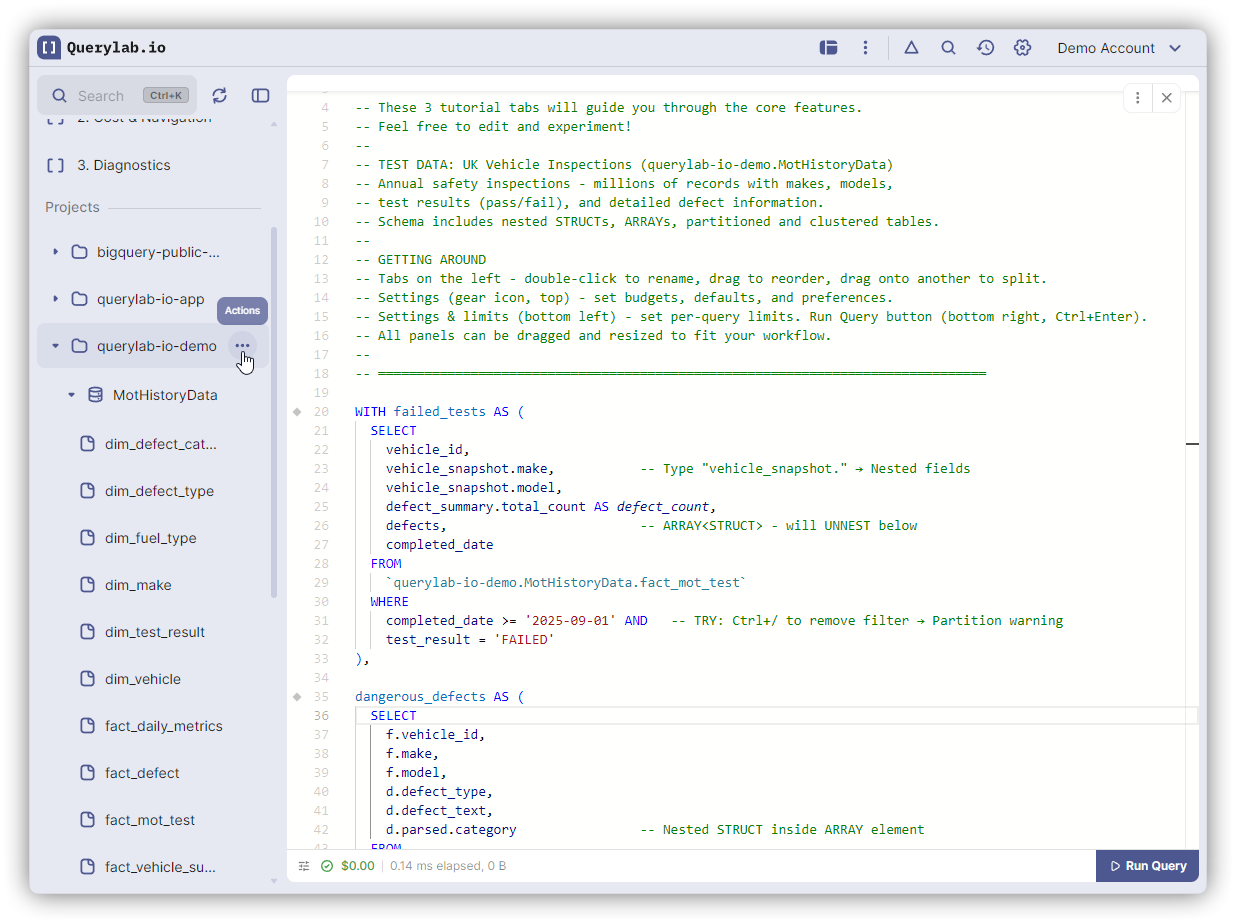
Hierarchy
Project
└── Dataset
    ├── Table
    ├── View
    ├── Materialized View
    └── Routine/Function
Navigation
- Expand: Click arrow next to resource
- Open details: Click table/view name
- Context menu: Hover and click Actions button (⋮)
Search
Type in search box to filter resources:
- Fuzzy matching: "usr" finds "users_table"
- Case-insensitive
- Matches across all projects/datasets
For large schemas (1000+ tables): search before expanding.
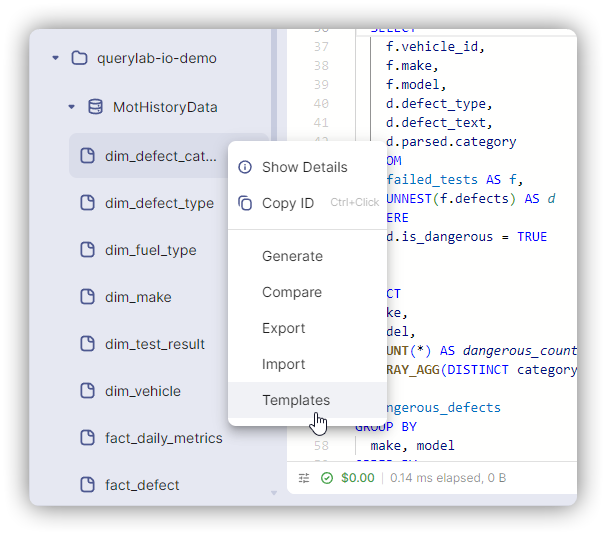
Context Menu
Project: Copy ID, refresh, view settings Dataset: Copy reference, generate DDL, view INFORMATION_SCHEMA Table: Show details, generate SQL, copy/clone/truncate, export
Refresh
Click refresh icon to reload metadata after external changes.
Keyboard
| Key | Action |
|---|---|
Cmd/Ctrl+K | Open Command Palette to search |
| Escape | Clear search |