Cost Limits
BigQuery costs add up fast. Querylab.io has several features to prevent accidental expensive queries.
Query Limits
Set a per-query byte limit in the editor's status bar. If a query exceeds your limit, a warning appears before execution.
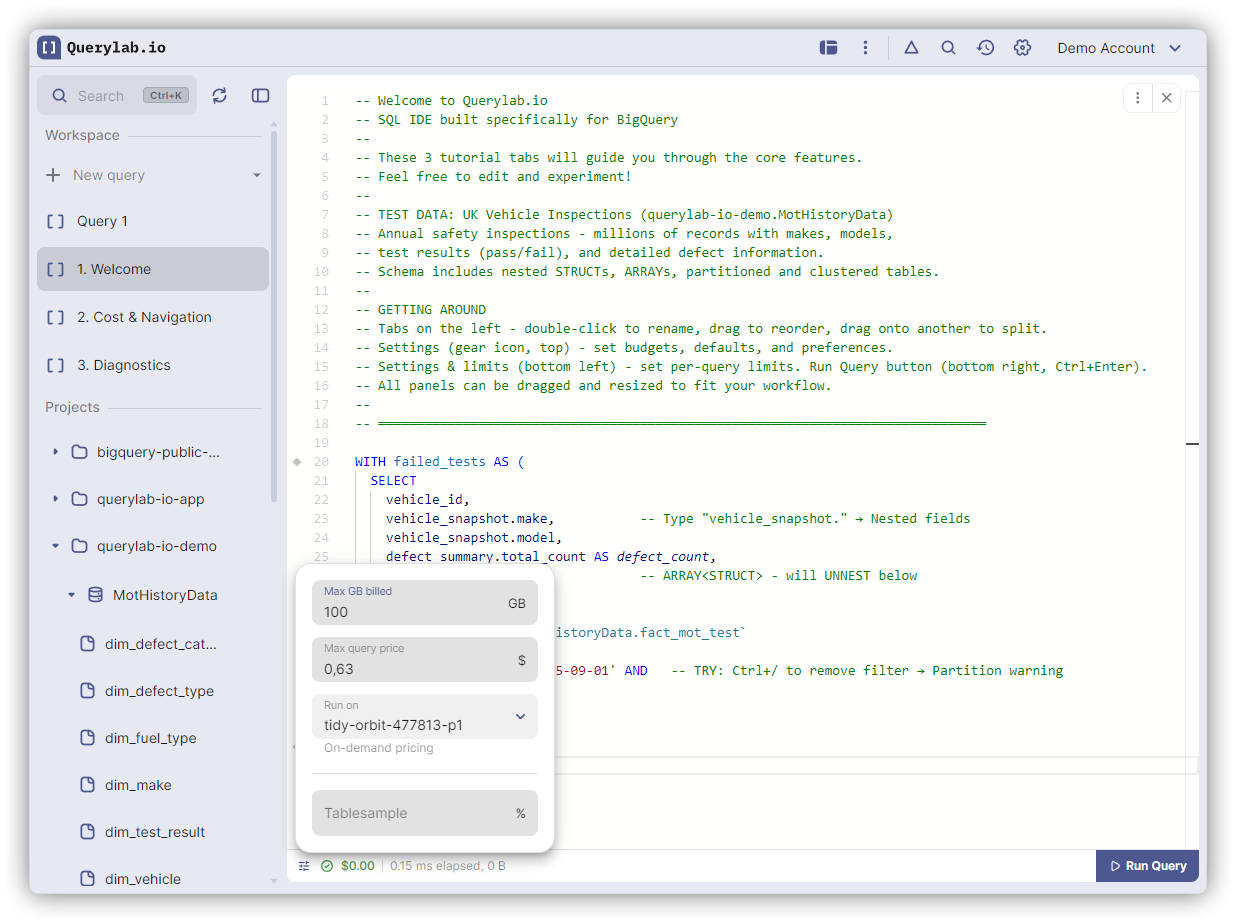
Default: 100 GB (configurable in Settings)
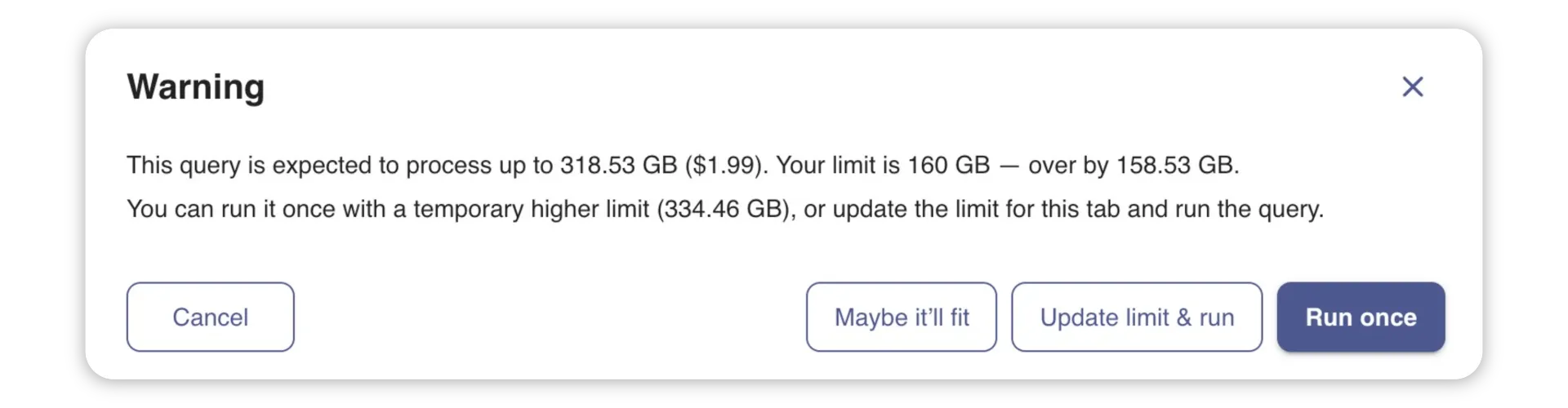
The warning modal offers:
- Cancel: Return to editor
- Run Once: Execute without changing limit
- Update Once: Use new limit for this query only
- Update Permanently: Save new limit for all future queries
This "run once" option reduces friction when you occasionally need to exceed small limits.
Budgets
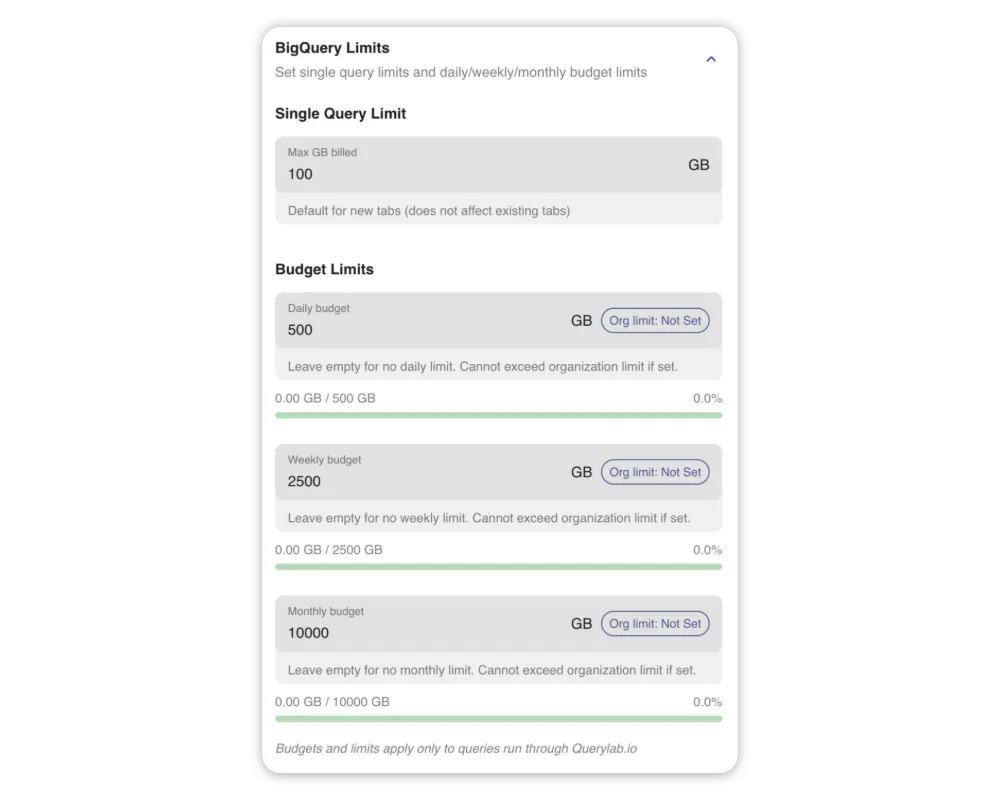
Set spending budgets in Settings > Cost Management. Budgets can be daily, weekly, or monthly, and apply to individual users or all organization members.
Cost Estimation for DDL Statements
Querylab.io estimates costs for all query types that BigQuery's dry-run supports, including CREATE TABLE AS SELECT (CTAS).
CREATE TEMP TABLE AS SELECT
BigQuery does not support dry-runs for CREATE TEMP TABLE statements. However, the scan cost comes entirely from the SELECT subquery, so Querylab.io extracts and estimates just the SELECT portion:
-- Querylab.io estimates the cost of this SELECT:
CREATE TEMP TABLE daily_metrics AS
SELECT user_id, COUNT(*) AS actions
FROM project.dataset.events
WHERE event_date = CURRENT_DATE()
GROUP BY user_id;
-- Estimated cost: based on scanning the events table
This works with all temp table variations: CREATE TEMPORARY TABLE, CREATE OR REPLACE TEMP TABLE, and queries with CTEs, JOINs, subqueries, and UNION ALL.
For CREATE TEMP TABLE with explicit column definitions (no AS SELECT), the estimation shows 0 bytes since no data is scanned.
Permanent CREATE TABLE AS SELECT
Permanent CREATE TABLE ... AS SELECT statements are estimated natively by BigQuery; no special handling needed. The estimated cost reflects the bytes scanned by the SELECT subquery.
Scope
These limits apply only to queries run within Querylab.io. Scheduled queries and queries run outside the app are not affected.