Query History
Access and re-run previously executed queries from the last 30 days.
Open: Click the History tab in the sidebar
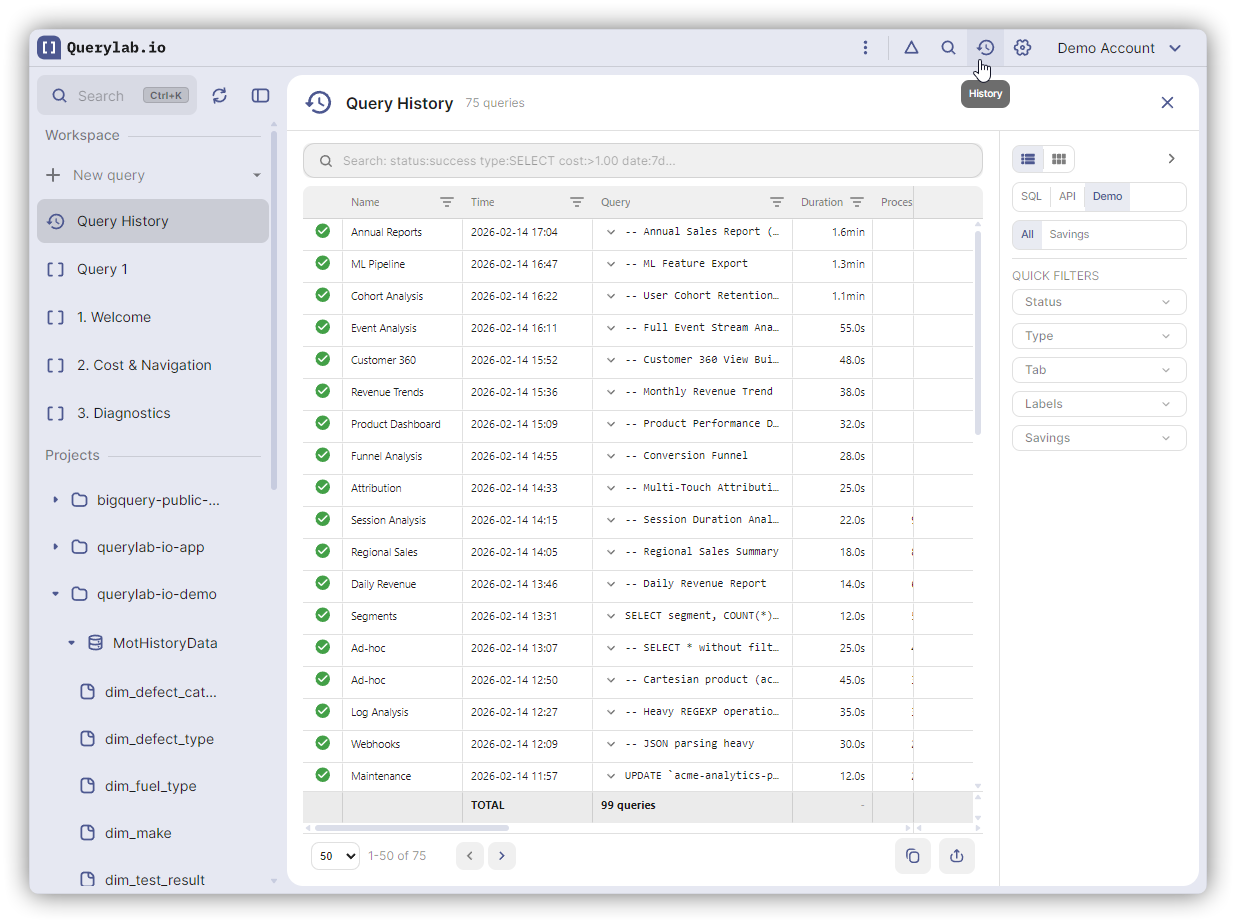
How It Works
Your query history syncs across all your BigQuery tools. Queries you run in BigQuery Console, bq CLI, or other sessions will appear here too.
History Panel
Each entry shows:
- Query preview
- Duration, data scanned, estimated cost
- Status (success/failed)
- Tables used in the query
Click an entry to expand and see the full query.
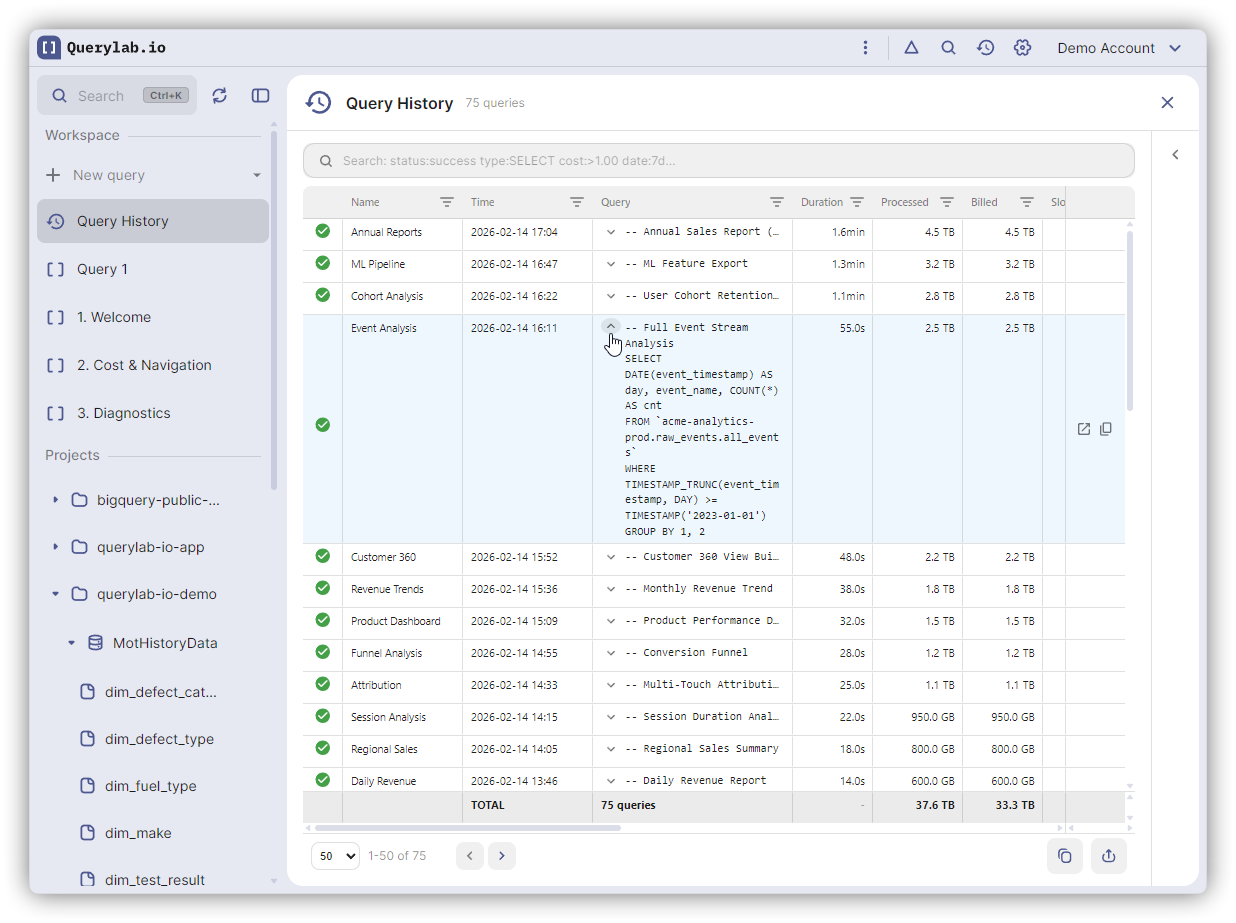
Switch to the Usage Statistics tab for aggregated analytics.
Actions
| Action | How |
|---|---|
| View full SQL | Click entry to expand |
| Copy query | Click the copy icon |
| Open in new tab | Click the open icon to create a new query tab |
Search & Filter
Use the search bar to find queries by text, table name, or error message.
Filter by:
- Tab name: Which tab the query was run from
- Project: Billing project
- Status: Success, Failed, etc.
Use Scan All History to search through your full 30-day history.
Quick Access
Click the History button in the results toolbar to see recent executions of the current query.
Retention
- History is kept for 30 days
- Query results are not stored—re-run to fetch fresh data