Prism AI
Natural language assistant for BigQuery SQL development.
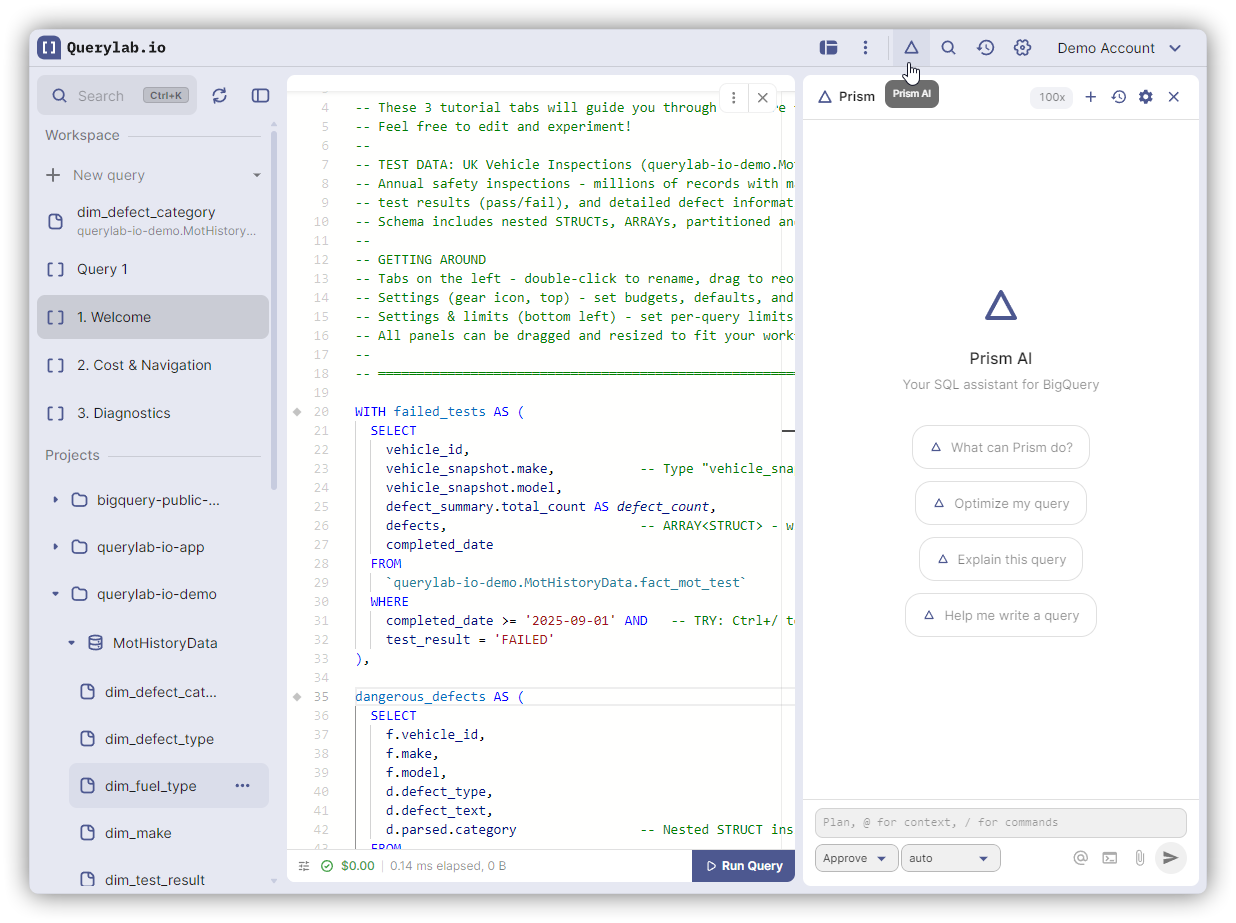
What It Does
- Execute tasks - Run queries, analyze results, edit SQL with approval
- Search schemas - Navigate your BigQuery projects and tables
- Optimize queries - Reduce costs and improve performance
- Debug errors - Diagnose and fix SQL problems
- Generate reports - Data quality, schema documentation, cost breakdowns
Getting Started
- Open the Prism AI panel (
Cmd+Ior click the chat icon) - Choose your permission mode: Readonly, Approve (default), or Auto
- Select your AI model from the model dropdown
- Start chatting
To change your AI provider, go to Settings → AI Assistant.
How It Works
Context Access: Prism AI can access:
- Tabs you reference with
@Tab 1mentions - Tables you reference with
@project.dataset.tablementions - BigQuery schemas via built-in tools (list tables, get schemas)
- Query results you share via
@results
Data Flow: When you send a message, it goes through Querylab.io's backend to your chosen AI provider. Conversation history is stored both locally (IndexedDB) and on Querylab.io servers for session continuity.
Permission Modes
Control what actions Prism AI can take using the mode selector in the chat input:
| Mode | Description |
|---|---|
| Readonly | AI can only read and answer questions, no modifications |
| Approve (default) | AI can propose changes but requires your approval |
| Auto | AI can execute approved tasks automatically |
AI Providers
Configure your AI provider in Settings → AI Assistant:
| Provider | Description |
|---|---|
| Auto (default) | Picks a model based on the request type |
| Claude | Anthropic's Claude models (Sonnet 4.5, Opus) |
| GPT | OpenAI's GPT models (GPT-5-nano, GPT-4o) |
| Gemini | Google's Gemini models (2.5 Flash, 2.5 Pro) |
Desktop users can use CLI tools (Claude Code, Gemini CLI) to call providers directly with their own keys. See CLI Integration.
Credits
Prism AI uses a credit-based system. Each message costs credits based on the model used. Lightweight models cost 1x; premium models cost more (shown as a multiplier like "7x" in the model selector).
Your plan determines your monthly credit allowance. Usage resets each billing cycle.
AI can make mistakes. Review generated SQL before running.