Code Quality
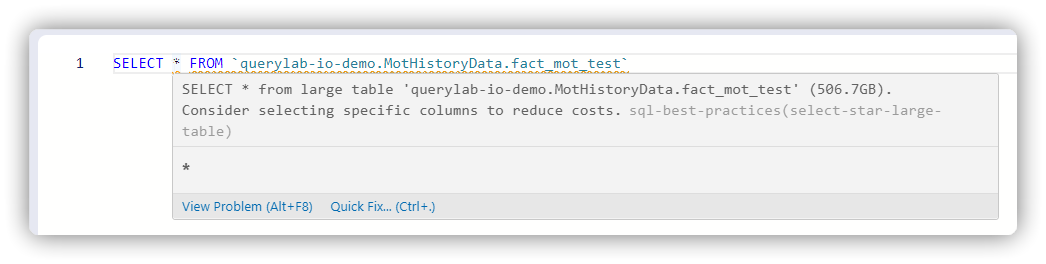
Querylab.io analyzes your SQL in real-time and highlights issues with colored underlines.
Severity Levels
| Color | Severity | Meaning |
|---|---|---|
| Red | Error | Query will fail; must fix |
| Orange | Warning | Cost/performance issue; should fix |
| Blue | Info | Potential improvement |
| Dotted | Hint | Optional optimization |
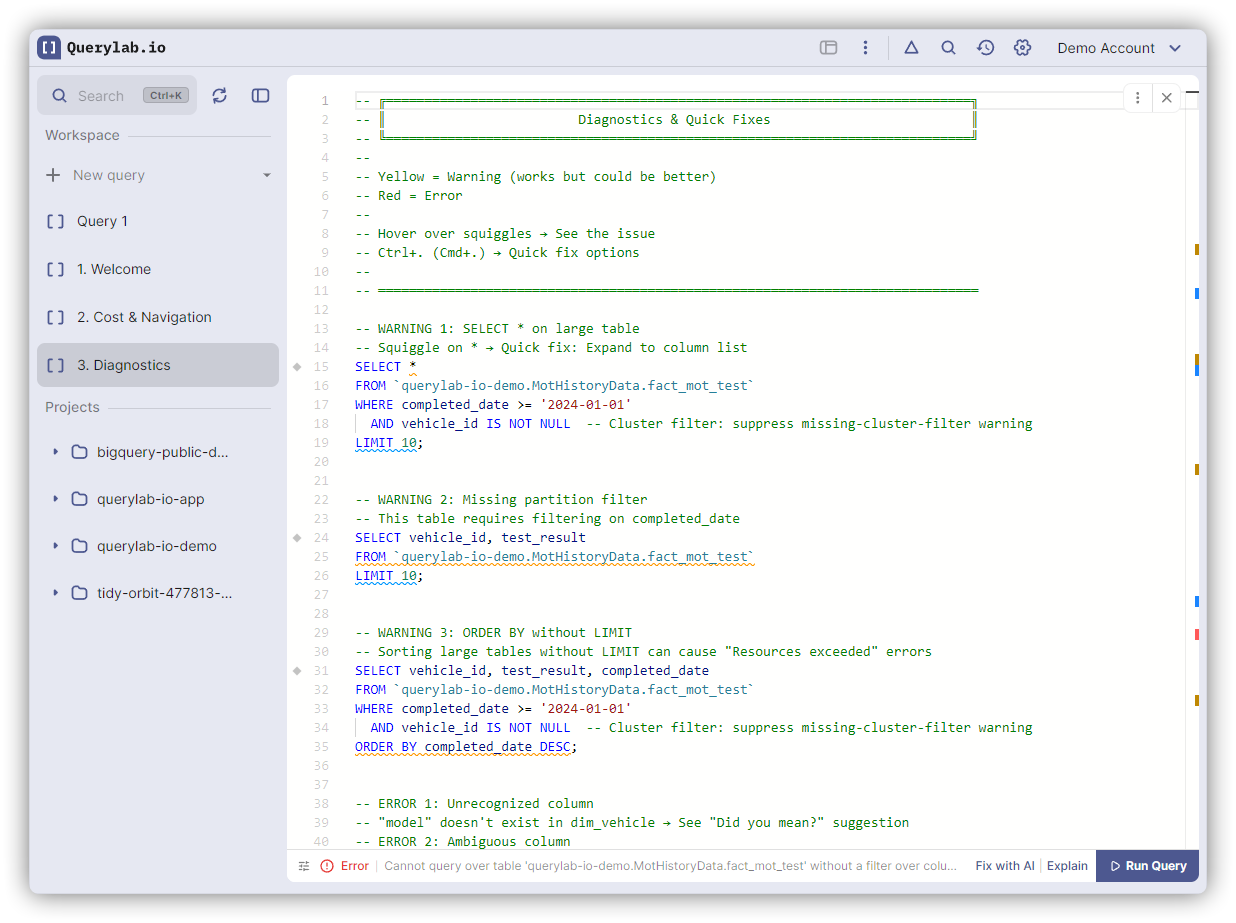
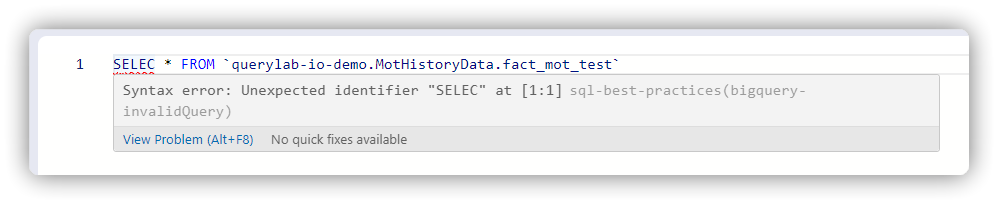
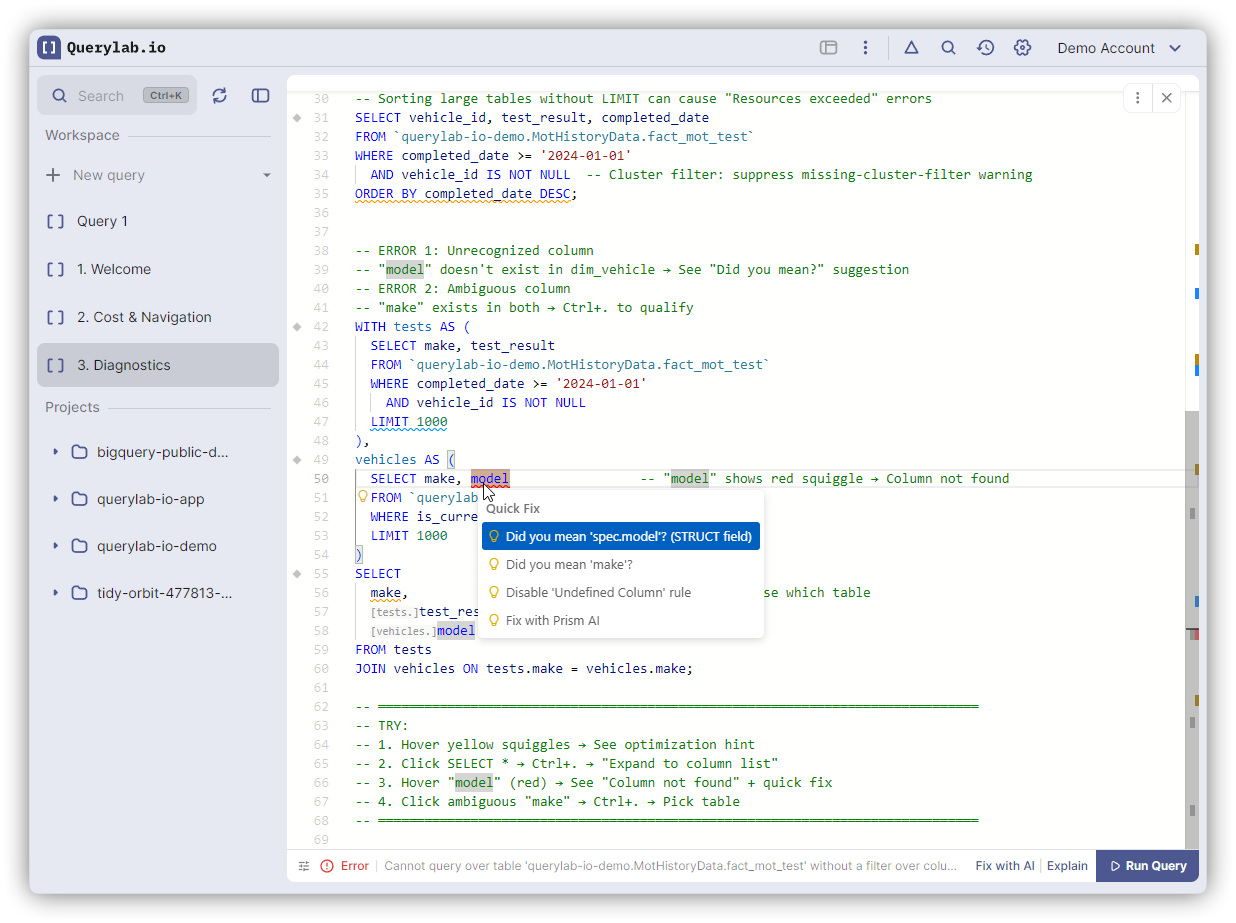
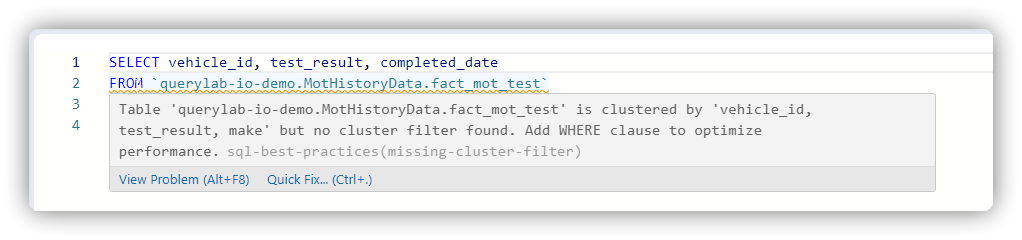
Hover over any underline to see details. Press Cmd+. (Mac) or Ctrl+. (Windows) for quick fixes.
Rules
Cost & Performance
- SELECT * on large table
- Large table scan without filters
- Missing LIMIT on large table
- Missing partition filter
- Missing cluster filter

- Wildcard table scan without filter
- ORDER BY without LIMIT
- COUNT(DISTINCT) performance
- Suboptimal clustering order
JOIN Issues
- CROSS JOIN detected
- JOIN with OR condition
- Missing JOIN condition
- Missing JOIN ON clause
- Ambiguous SELECT * with JOINs
NULL Handling
- NULL comparison with =
Column References
- Undefined column
- Column references without FROM clause
- Ambiguous column reference
- Duplicate column
- Duplicate column alias
- Conflicting column and alias names
- USING clause references non-existent column
GROUP BY & Aggregation
- Non-aggregated column in GROUP BY
- HAVING without GROUP BY
- Aggregate in WHERE clause
- Nested aggregate functions
- SELECT * with GROUP BY
Window Functions
- Window function in WHERE
- QUALIFY without window function
WHERE Clause
- Non-boolean expression in WHERE
CTEs
- Unused CTE
- Duplicate CTE name
- Undefined CTE references
ORDER BY
- ORDER BY column not in SELECT
- ORDER BY invalid position (0 or negative)
- ORDER BY position out of range
Type Consistency
- String in numeric comparison
- CASE expression with inconsistent types
Subqueries
- Scalar subquery returning multiple columns
- IN subquery returning multiple columns
Table & Alias References
- Undefined table alias
- Duplicate table aliases
- Invalid hierarchical naming (project.dataset.table)
Suggestions (lightbulb only)
- Suggest using QUALIFY clause: detects the old subquery +
WHERE rn = 1pattern and suggests QUALIFY - Suggest GROUP BY ALL
- Suggest UNION BY NAME
- Suggest LIKE ANY: detects
col LIKE '%A' OR col LIKE '%B'and suggestscol LIKE ANY ('%A', '%B')
Example: QUALIFY Suggestion
Querylab.io detects when you use the common subquery workaround for ranking and suggests the cleaner QUALIFY syntax.
Before (subquery workaround):
SELECT * FROM (
  SELECT
    user_id,
    status,
    ROW_NUMBER() OVER(PARTITION BY user_id ORDER BY timestamp DESC) AS rn
  FROM `my-project.dataset.table`
)
WHERE rn = 1
After (QUALIFY):
SELECT
  user_id,
  status
FROM `my-project.dataset.table`
QUALIFY ROW_NUMBER() OVER(PARTITION BY user_id ORDER BY timestamp DESC) = 1
After (Pipe syntax):
FROM `my-project.dataset.table`
|> QUALIFY ROW_NUMBER() OVER(PARTITION BY user_id ORDER BY timestamp DESC) = 1
|> SELECT user_id, status
Works with ROW_NUMBER(), RANK(), and DENSE_RANK().
Example: LIKE ANY Suggestion
Querylab.io detects when you use multiple OR conditions with LIKE on the same column and suggests LIKE ANY.
Before (multiple OR conditions):
SELECT * FROM users
WHERE name LIKE '%smith' OR name LIKE '%jones' OR name LIKE '%doe'
After (LIKE ANY):
SELECT * FROM users
WHERE name LIKE ANY ('%smith', '%jones', '%doe')
Also works with NOT LIKE conditions, suggesting NOT LIKE ANY.
Configuring Rules
Settings → Diagnostic Rules to enable/disable specific rules.