Import Data
Import data into BigQuery from local files, Google Drive, Google Sheets, or your clipboard. Schema is detected on load.
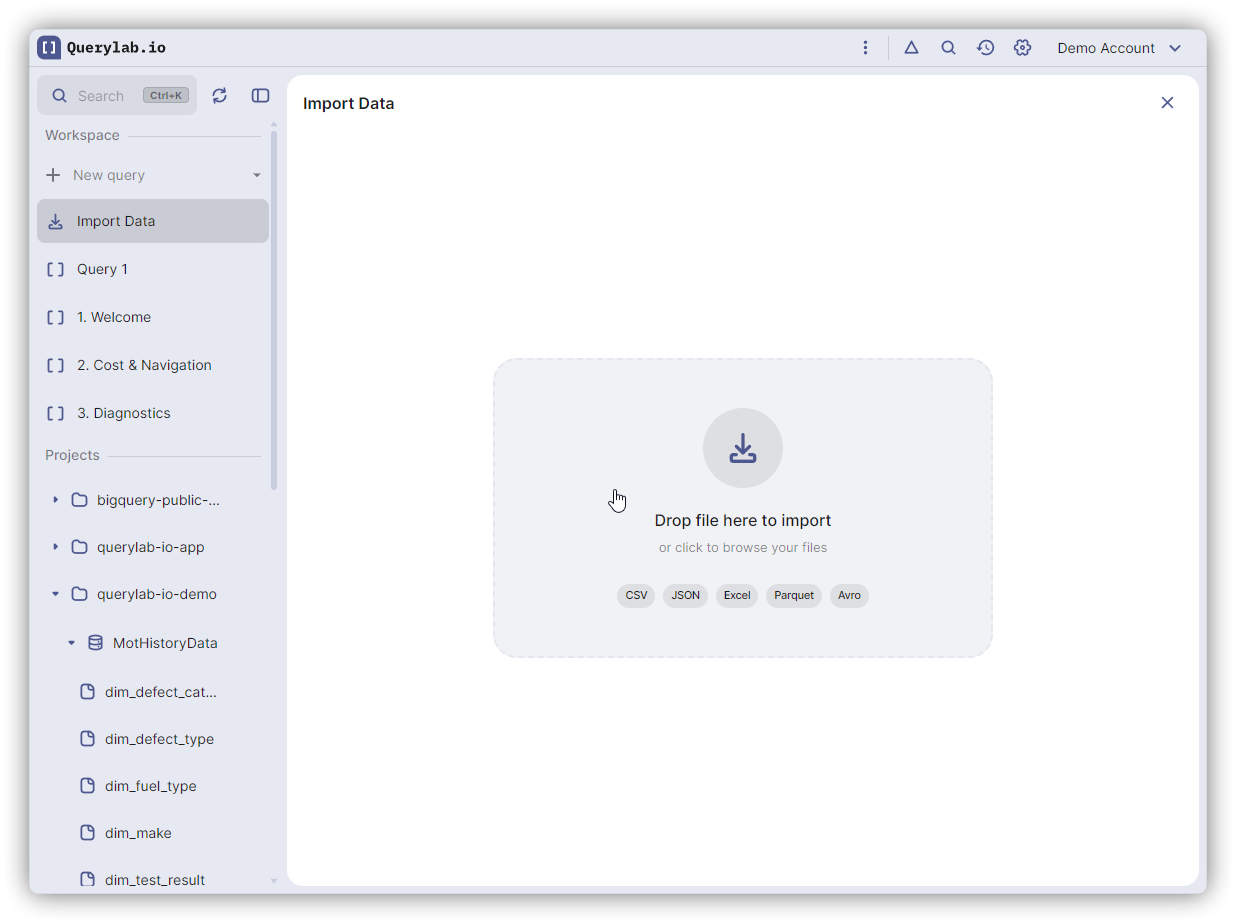
Import Sources
| Source | Description |
|---|---|
| Local File | Drag and drop or browse for files on your computer |
| Google Drive | Pick files directly from your Google Drive |
| Google Sheets | Import sheet data or create a connected table |
| Clipboard | Paste tabular data copied from any application |
Supported File Formats
| Format | Extensions |
|---|---|
| CSV | .csv (auto-detects delimiter) |
| Excel | .xlsx, .xls (multi-sheet support) |
| JSON | .json (arrays or NDJSON) |
| Parquet | .parquet |
| Avro | .avro |
How to Import
- Drag and drop a file anywhere in Querylab.io
- Right-click a dataset → Import CSV
- Command Palette (
Cmd/Ctrl+K) → "Import Data"
The import panel shows a file drop zone with additional source buttons below: Google Drive, Google Sheets, and Clipboard.
Local File Import
- Drop or browse for a file
- Review schema — columns and types are detected
- Edit columns — rename, change types, reorder, or remove columns
- Configure destination — choose project, dataset, table name, write mode, and partitioning
- Import — uploads directly to BigQuery
For Excel files with multiple sheets, you can select which sheet to import.
Google Drive
Click Google Drive to open the Google Drive Picker. You can select any supported file format (CSV, JSON, Excel, Parquet, Avro) stored in your Drive.
The file is downloaded and processed through the same pipeline as local files. You get schema review, column editing, and configuration.
If you select a Google Sheets file from Drive, it automatically switches to the Google Sheets import flow.
Google Sheets
Click Google Sheets to open the Google Drive Picker filtered to spreadsheets. After selecting a spreadsheet, Querylab.io fetches the sheet metadata and loads the first tab's data.
Sheet Controls
A Google Sheets section appears in the import panel with:
- Tab selector — switch between tabs in the spreadsheet
- Range — optionally limit the import to a specific range (e.g.,
A1:D100,A:D, or1:100) - Apply — re-fetch data after changing tab or range
One-Time Import
By default, sheet data is imported as a standard BigQuery table. The data is copied into BigQuery — changes to the original spreadsheet will not be reflected.
You get the full import experience: schema review, column editing, type mapping, write mode selection, and partitioning options.
Connected Table
Check Create as connected table (external) to create a BigQuery external table that reads directly from the Google Sheet in real-time.
When connected mode is enabled:
- Schema editing is hidden (BigQuery reads the sheet structure as-is)
- Write mode and temporary table options are hidden
- The button changes to Create Connected Table
Connected tables execute a CREATE EXTERNAL TABLE DDL statement. BigQuery reads from the spreadsheet on every query, so data is current.
Connected tables require the spreadsheet to remain accessible. If the spreadsheet is deleted or permissions are revoked, queries against the connected table will fail.
Clipboard
Click Clipboard to paste tabular data copied from any application (Excel, Google Sheets, a web page, etc.).
Querylab.io auto-detects the format:
| Format | Detection |
|---|---|
| JSON | Text starts with [ or { |
| TSV | Text contains tab characters |
| CSV | Text contains commas |
| Single column | Fallback — each line becomes a row |
After pasting, the data flows through the same schema review and import pipeline as file imports.
Clipboard import has a 10 MB size limit. For larger datasets, use file import or Google Drive.
Workflow
Schema Review
After loading data from any source, Querylab.io shows a preview with:
- Detected columns with inferred BigQuery types
- Data preview of the first rows
- Warnings for issues like formula errors in Google Sheets (
#N/A,#REF!,#DIV/0!, etc.)
You can:
- Rename columns
- Change column types
- Reorder columns via drag and drop
- Remove columns you don't need
Destination
Configure where the data lands:
- Project and Dataset — select from your accessible resources
- Table name — auto-suggested from the source file name
- Write mode — Create, Append, or Overwrite
- Partitioning — optional time-based or range partitioning
- Temporary table — create a table that expires automatically
Write Modes
| Mode | Behavior |
|---|---|
| Create | New table (fails if table already exists) |
| Append | Add rows to an existing table |
| Overwrite | Replace all existing data |
Cost
BigQuery Load Jobs are FREE — you are not charged for importing data. Connected tables (external) are billed per query based on the amount of data read from the spreadsheet.