Prism AI Features
Context Mentions
Use @ to provide specific context to Prism AI.
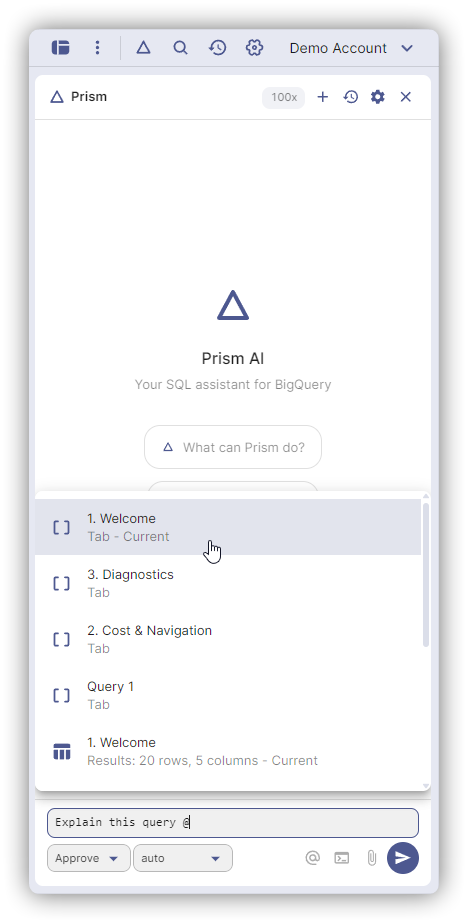
Types
| Mention | What It Provides |
|---|---|
@project.dataset.table | Table schema, columns, partitioning |
@dataset | Dataset information |
@Tab 1 | SQL and results from tab |
@results | Query results from active tab |
Examples
Optimize @Tab 1 for cost
Find tables with email data in @analytics
Analyze @results for data quality issues
Compare schemas of @dataset1.table1 and @dataset2.table2
How Context Works
Context mentions are the primary way to share data with Prism AI. Without mentions, the AI can still:
- List tables in your projects (via
list_tablestool) - Fetch table schemas (via
get_table_schematool) - Read and update your query tabs (via tab tools)
Mentions give you explicit control over what context is included in your conversation.
Query Execution
Prism AI can run queries and show results in the chat.
When you ask the AI to query data, it executes against BigQuery using your credentials and displays results inline. A "Share with AI" toggle controls whether the AI sees result rows. When off, the AI sees only metadata (row count, schema).
Follow-Up Suggestions
After each response, Prism AI shows suggestion chips for likely next steps. Click one to send it as your next message.
Reasoning Display
When using reasoning-capable models (like Claude Sonnet 4.5 or GPT-o series), Prism AI shows the model's thinking process in a collapsible block before the final answer. Click to expand and see the full reasoning chain.