Settings
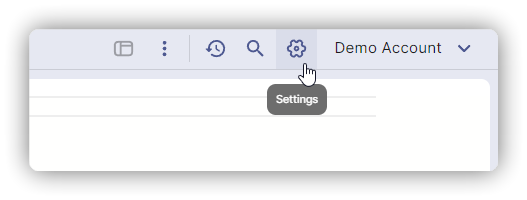
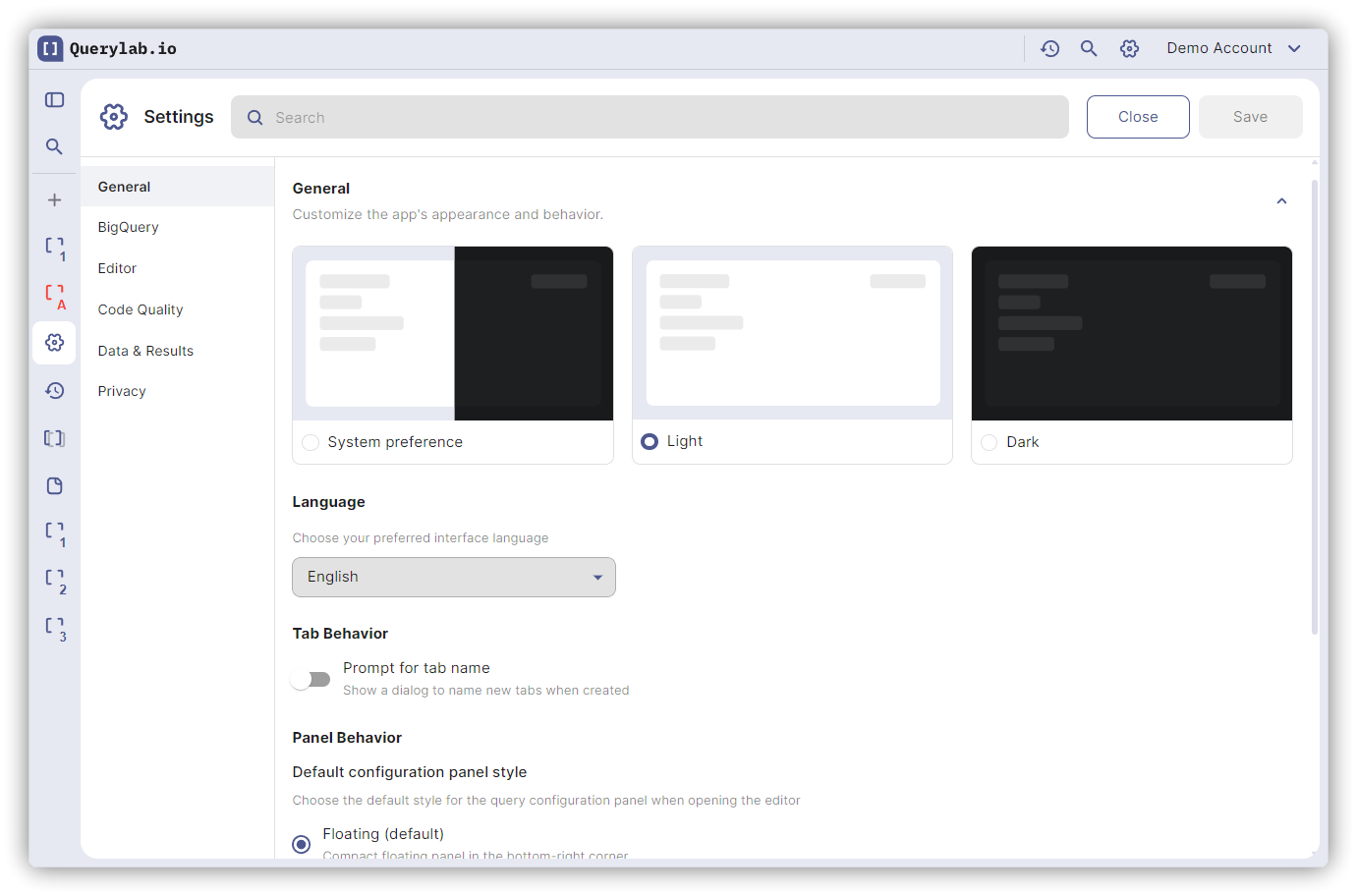
Access via gear icon in top-right corner. Settings are organized into categories with a sidebar filter on the left.
General
Appearance
| Setting | Options | Default |
|---|---|---|
| Theme | System, Light, Dark | System |
| Language | Auto-detect, English, Japanese, German, Korean, French, Spanish, Portuguese | Auto-detect |
| Editor Font Size | 12, 13, 14, 16, 18px | 12px |
| Show Minimap | On/Off | On |
| Zoom | 50-200% | 100% |
Layout:
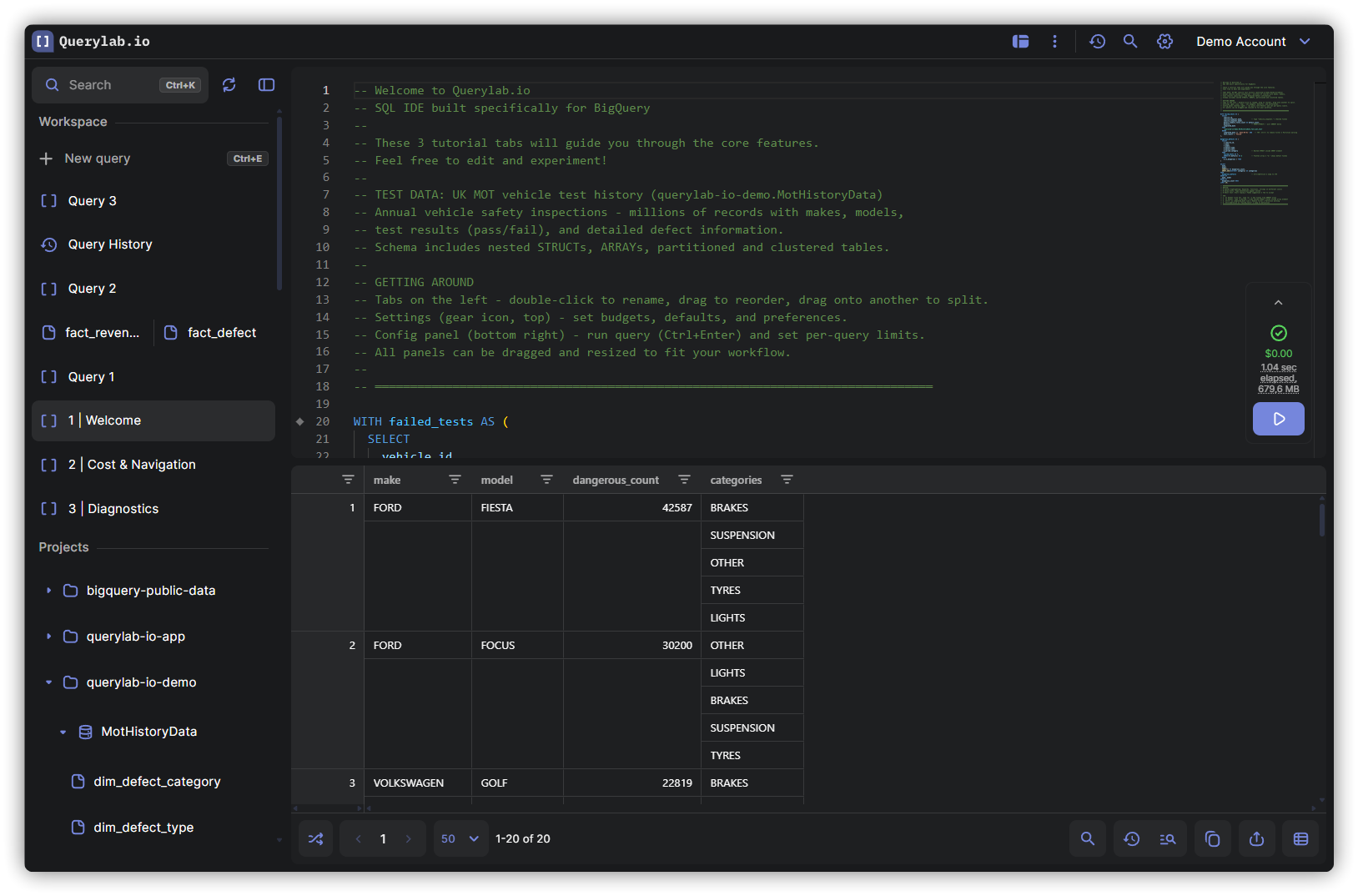
- Left Sidebar Width (default: 250px)
- Config Panel Width (default: 280px)
- Default Panel Style: Floating or Docked
Subscription
Displays your current plan, license status, and valid-until date. Upgrade, subscribe, or manage your subscription from here.
BigQuery
Connection settings for your BigQuery projects.
Projects
- Selected Projects: Toggle which BigQuery projects are visible in the schema browser
- Manually Added Projects: Add project IDs not auto-discovered
- Grant Additional Access: Request cloud-platform scope for full project listing
Default Billing Project
Which project pays for query execution. Can be overridden per query in the editor status bar.
Limits & Costs
BigQuery Limits
Set single query limits and daily/weekly/monthly budget limits.
Single Query Limit
| Setting | Options | Default |
|---|---|---|
| Max GB Per Query | 1GB - 10TB | 100GB |
Default for new tabs (does not affect existing tabs). Queries exceeding this limit show a warning before running.
Budget Limits
| Setting | Description | Default |
|---|---|---|
| Daily Budget | Max GB/day (resets midnight UTC) | None |
| Weekly Budget | Max GB/week (resets Monday 00:00 UTC) | None |
| Monthly Budget | Max GB/month (resets 1st) | None |
Progress bars show usage: green, yellow, red. Budgets and limits apply only to queries run through Querylab.io.
If your organization has set limits, they appear as read-only organization limits below your personal budgets.
Cost Display
Currency and price comparison settings.
| Setting | Options | Default |
|---|---|---|
| Currency | USD, EUR, JPY | USD |
| Comparison Edition | Disabled, Standard, Enterprise, Enterprise Plus | Enterprise |
The comparison edition selects which BigQuery reservation pricing to compare against on-demand costs.
Editor
Completions
| Setting | Options | Default |
|---|---|---|
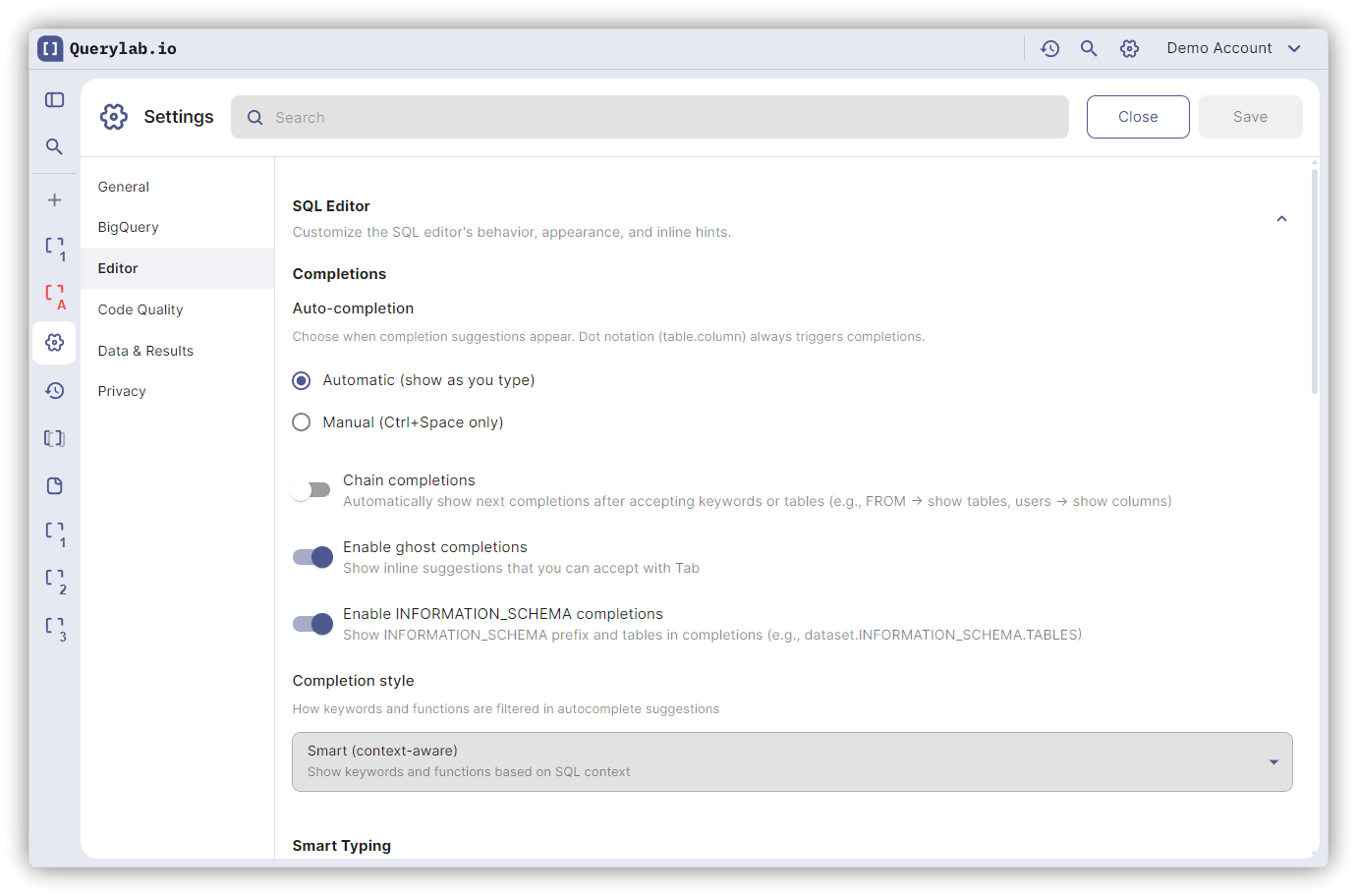
| Trigger | Automatic, Manual (Ctrl+Space) | Automatic |
| Style | Smart (context-aware), Permissive (all) | Smart |
| Ghost Completions | On/Off | On |
| Completion Chaining | On/Off | Off |
| INFORMATION_SCHEMA | On/Off | On |
| BigFunctions | On/Off | Off |
| Snippets | On/Off | On |
BigFunctions enables community-contributed BigQuery UDFs in completions. When enabled, functions from the bigfunctions project appear alongside built-in BigQuery functions.
Text Editing
| Setting | Options | Default |
|---|---|---|
| Tab Size | 2, 4, 8 spaces | 2 |
| Insert Spaces | On/Off | On |
| Word Wrap | Off, On, Bounded | Off |
| Auto-Close Brackets | Always, Language, Before Whitespace, Never | Language |
| Auto-Close Quotes | Always, Language, Before Whitespace, Never | Language |
| Auto-Surround | Language, Quotes, Brackets, Never | Language |
Code Intelligence
| Setting | Options | Default |
|---|---|---|
| Parameter Name Hints | On/Off | On |
| Return Type Hints | On/Off | On |
| Variable Type Hints | On/Off | Off |
Backticks
| Setting | Options | Default |
|---|---|---|
| Backtick Insertion | Always, When Needed | When Needed |
SQL Formatting
Applied when using Cmd/Ctrl+Shift+F.
| Setting | Options | Default |
|---|---|---|
| Mode | Preserve, Pretty, Compact | Pretty |
| Keyword Case | UPPER, lower, Preserve | UPPER |
| Indent Size | 2, 4 spaces | 2 |
| Indent Style | Spaces, Tabs | Spaces |
| Max Line Length | Number | 80 |
| Newline After Clause | On/Off | On |
| Quote Identifiers | Preserve, Always, Never | Preserve |
| Trailing Comma | On/Off | Off |
| Pipe Indent Style | Standard, Left-aligned | Standard |
| Format on Type | On/Off | Off |
| AS Keyword | Insert, Preserve | Insert |
SQL Frameworks
Template language support for dbt and Dataform. See dbt Support and Dataform Support for full feature guides.
dbt
| Setting | Description | Default |
|---|---|---|
| Enable dbt Mode | Auto-detect Jinja patterns and enable dbt completions, diagnostics, and compiled view | On |
| Inlay Hints | Show resolved values inline after Jinja expressions (e.g., ref, source, var) | On |
Dataform
| Setting | Description | Default |
|---|---|---|
| Enable Dataform Mode | Auto-detect SQLX patterns and enable Dataform completions, diagnostics, and compiled view | On |
| Inlay Hints | Show resolved values inline after SQLX expressions (e.g., ref, resolve, self) | On |
Code Quality
Warning Thresholds
| Setting | Options | Default |
|---|---|---|
| SELECT * Warning | 1GB, 10GB, 100GB, 1TB, 10TB, Never | 1GB |
| Missing LIMIT Warning | 1GB, 10GB, 100GB, 1TB, 10TB, Never | 1GB |
| Large Table Scan | 1GB, 10GB, 100GB, 1TB, 10TB, Never | 100GB |
| Missing Partition Filter | On/Off | On |
| Missing Cluster Filter | On/Off | On |
Diagnostic Rules
Enable/disable SQL linting rules. All enabled by default except noted.
Performance (12 rules)
- SELECT * on Large Table
- Missing Partition Filter
- Missing Cluster Filter
- Missing LIMIT on Large Table
- Large Table Scan
- Cross Join Detected
- JOIN with OR Condition
- ORDER BY Without LIMIT
- COUNT(DISTINCT) Performance
- Clustering Order Suboptimal
- Wildcard Table Scan Without Filter
- Suggest Table Alias (disabled by default)
- Suggest QUALIFY (disabled by default)
Correctness (16 rules)
- Aggregate in WHERE
- HAVING Without GROUP BY
- Non-Aggregated Column
- Nested Aggregate
- Window Function in WHERE
- QUALIFY Without Window Function
- SELECT * with GROUP BY
- ORDER BY Invalid Position/Not in SELECT/Out of Range
- NULL Comparison with Equals
- CASE Type Inconsistency
- Non-Boolean WHERE
- Missing Join Condition/ON
Code Quality (3 rules)
- Unused CTE
- Duplicate CTE
- Duplicate Column Alias
Semantic (14 rules)
- Undefined Column/Table/CTE
- Ambiguous Column Reference
- Duplicate Column/Table Alias
- Invalid Hierarchical Name
- CTE Shadows Table (disabled by default)
- And more...
Modern Syntax (4 rules)
- Suggest QUALIFY Over Subquery
- Suggest COALESCE Over IF NULL
- Suggest LIKE ANY Over OR
- Suggest Implicit CROSS JOIN
These rules suggest modern BigQuery syntax alternatives. All disabled by default — enable in Settings.
See Code Quality for detailed rule descriptions.
Data & Results
| Setting | Description | Default |
|---|---|---|
| Hierarchical Columns | Display STRUCTs as nested tree | Off |
| Prompt Name on Create | Ask for tab name when creating | Off |
| Auto-Rename After Execution | AI-rename after first query | Off |
| Skip Drill-Down Prompt | Skip confirmation for drill-down | Off |
Saved Queries
Integration with BigQuery Saved Queries for team collaboration.
| Setting | Description | Default |
|---|---|---|
| Enable Saved Queries | Show BigQuery Saved Queries in sidebar | Off |
| Default Project | BigQuery project for saved queries | Billing project |
| Default Region | Region for saved queries storage | us-central1 |
When enabled, saved queries appear in the schema browser and can be opened, edited, and shared with your team through BigQuery's native saved queries feature.
Privacy
Data Storage
| Setting | Options | Default |
|---|---|---|
| Tab Storage | Browser (localStorage), Backend (encrypted sync) | Browser |
| Enable Analytics | Product analytics | On |
Sessions
View and manage your active sessions. You can sign out from other devices if needed.
Credentials
Manage your server credentials. Revoke server credentials if you need to re-authenticate.
Account
- Sign out
- Revoke Google permissions
- Delete account
AI Features
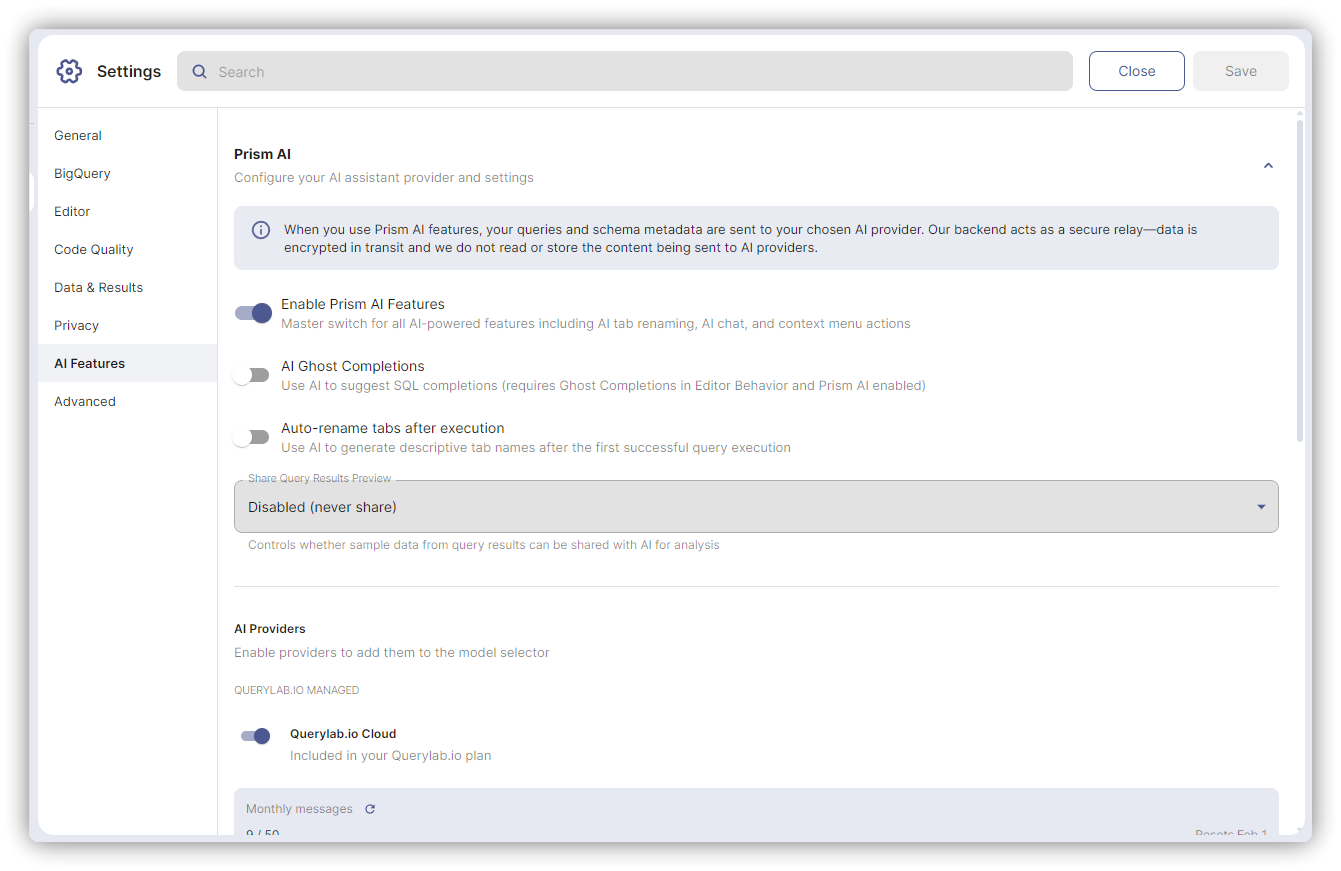
Provider
| Setting | Options | Default |
|---|---|---|
| Provider | Auto, Claude, GPT-4, Gemini | Auto |
| Model | Provider-specific models | Auto |
Desktop users can also use CLI tools. See CLI Integration.
AI Features
| Setting | Description | Default |
|---|---|---|
| Prism AI Features | AI in context menus and quick fixes | On |
| LLM Ghost Completions | AI-powered inline suggestions (experimental) | Off |
| Share Results with AI | Allow AI to see query results | Disabled |
Advanced
Experimental Features
Early-access features that may change or be removed.
| Setting | Description | Default |
|---|---|---|
| Enable Spaces | BigQuery Spaces integration | Off |