Table Information
View schema, preview data, and metadata for any table.
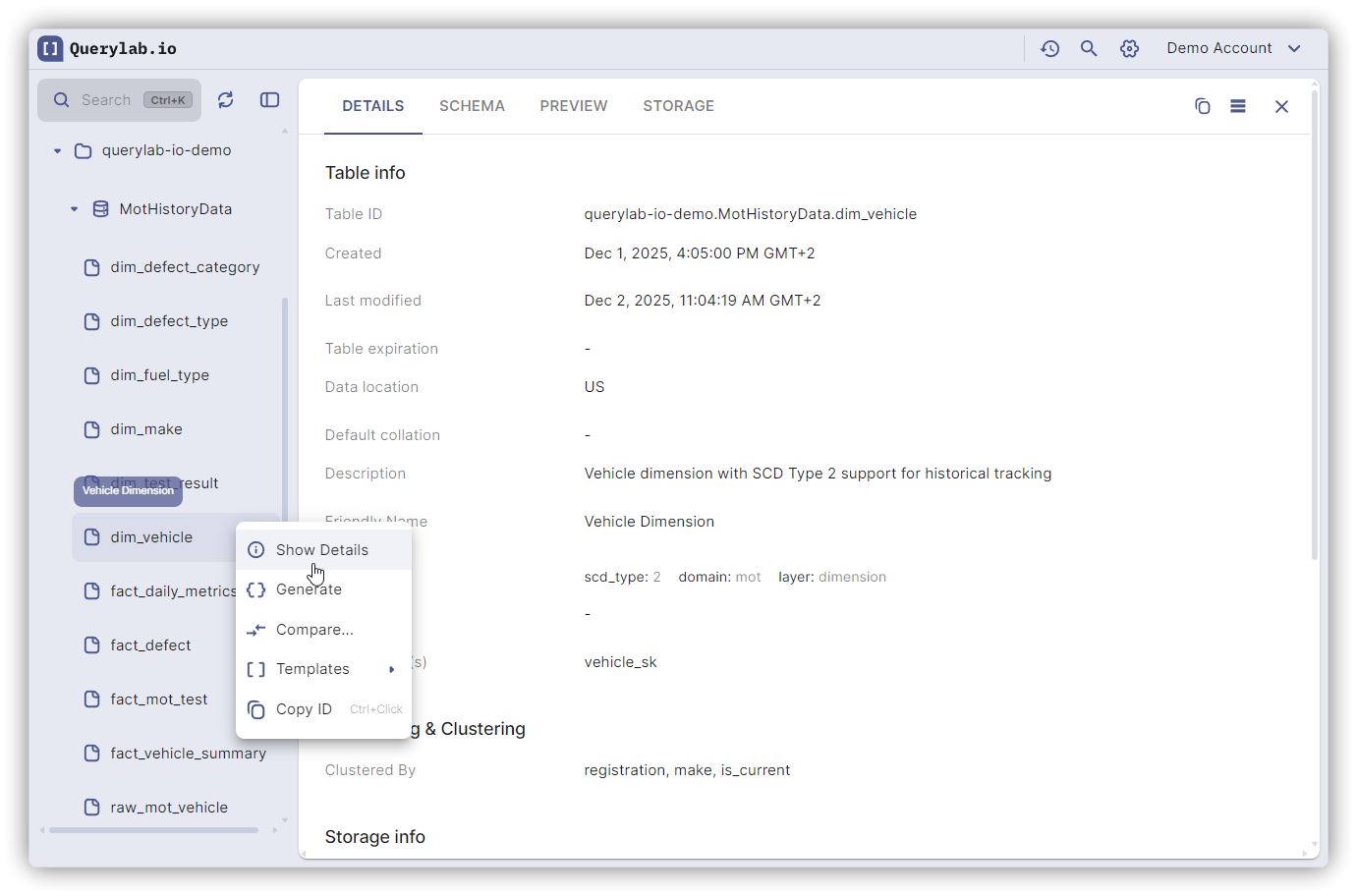
Open: Click table in Schema Browser (or Ctrl/Cmd+Click for new tab)
Schema Tab
Shows all columns with:
- Name: Column identifier
- Type: STRING, INT64, STRUCT, ARRAY, etc.
- Mode: NULLABLE, REQUIRED, REPEATED
- Description: Documentation (if set)
- Sample: Representative values for each field
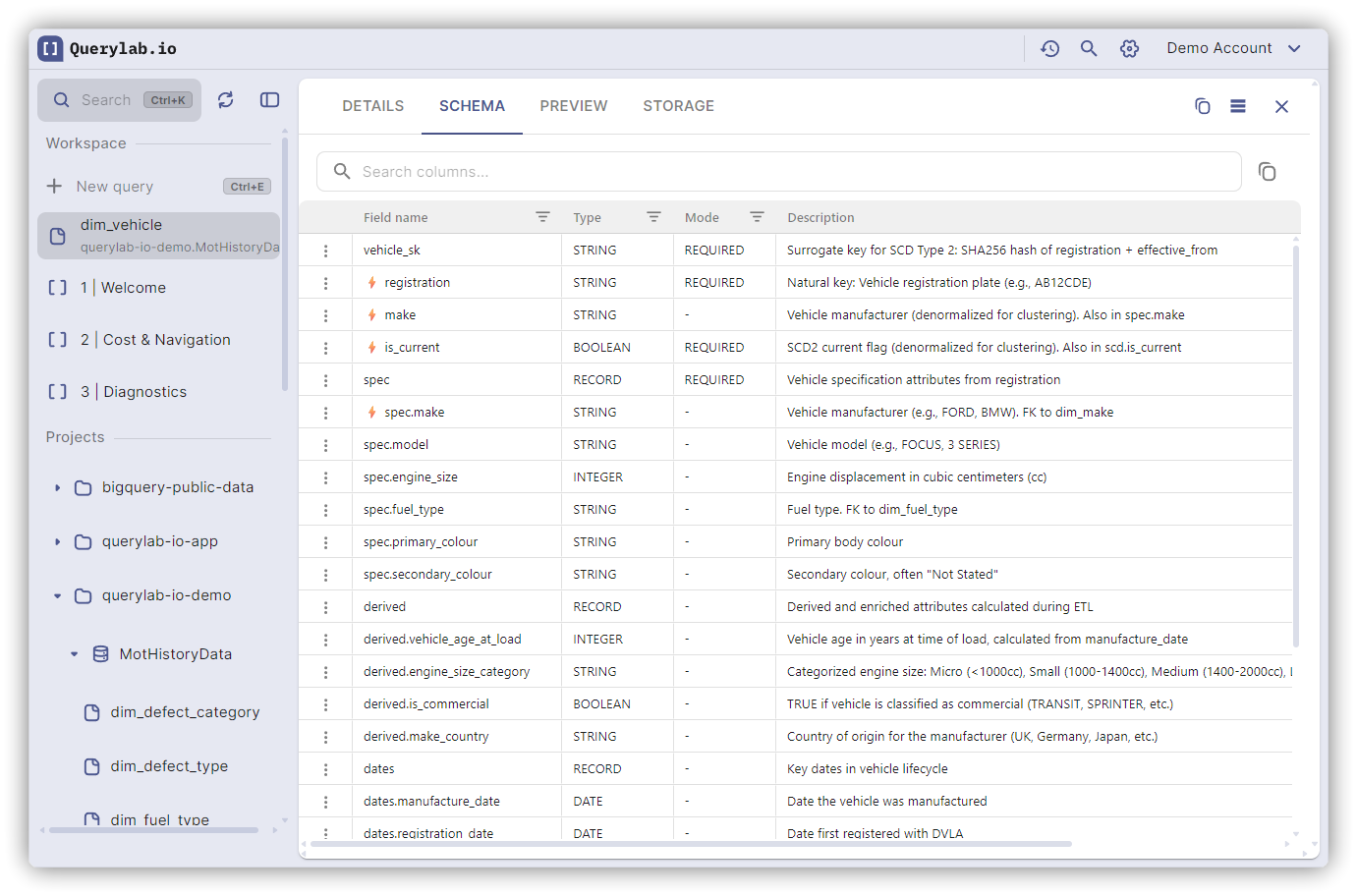
Nested STRUCTs and ARRAYs expand hierarchically.
Primary & Foreign Keys: Key columns are marked with key icons in the schema view. Foreign key relationships show which tables and columns they reference.
Preview Tab
Sample data from the table (free, no query costs).
- Up to 1000 rows
- Column show/hide selector
- NULL values shown as "(null)"
- Supports Time Travel
View Preview: For VIEWs, a preview tab shows the query results without a separate SELECT statement.
Details Tab
Metadata: Created, last modified, location, expiration
Storage: Row count, table size, long-term storage
Partitioning: Partition type, field, expiration
Clustering: Clustered columns (up to 4)
Table type: TABLE, VIEW, MATERIALIZED VIEW, EXTERNAL, SNAPSHOT
Statistics Tab
Shows storage breakdown for tables:
- Active storage: Frequently accessed data
- Long-term storage: Data not modified in 90+ days (50% cheaper)
- Time Travel storage: Data preserved for Time Travel queries
- Fail Safe storage: 7-day recovery window after Time Travel expires
- Storage costs: Estimated monthly cost by category
This tab is only available for TABLE types.
Tab Availability
Different table types show different tabs:
| Table Type | Available Tabs |
|---|---|
| TABLE | Details, Schema, Preview, Statistics, Events* (GA4), Parameters* (GA4) |
| VIEW | Details, Query, Preview |
| MATERIALIZED VIEW | Details, Query, Preview |
| EXTERNAL | Details only |
| SNAPSHOT | Details only |
*Events and Parameters tabs only appear for tables in GA4 datasets.
Query Tab: For views and materialized views, shows the underlying SQL query definition.
Events/Parameters Tabs: For GA4 datasets, provides specialized views of event schemas and parameters. Access GA4 query templates via dataset context menu → SQL Templates.
Copy Operations
- Copy reference: Click Actions button (⋮) → Copy reference →
project.dataset.table - Copy columns: Select rows in Schema tab → use keyboard shortcut or context menu
Refresh
Click refresh icon in tab toolbar after schema changes.